Your CLI Has a New Super User
And it doesn’t start by reading your help text

Something strange is happening to developer tools.
For decades we built command-line interfaces with a simple assumption: the user was human. Someone sitting at a terminal, reading --help, skimming documentation, maybe guessing a command or two. They would make mistakes, but the mistakes were predictable. Typos. Misremembered flags. The sort of thing a friendly error message could guide them through.
That assumption is no longer true.
Your CLI has a new user now. Not a developer at a keyboard, but a coding agent running inside a loop somewhere. It doesn’t read your help text. It hallucinates commands. It guesses flags it’s never seen before and attempts workflows you never designed. And when it fails, it doesn’t open an issue or complain in Slack. It just tries something else.
Most tool builders haven’t noticed yet, but if you run an agent against your CLI for long enough, the difference becomes obvious. Humans explore tools cautiously. Agents explore them aggressively. They probe the interface like a black box, generating plausible commands and seeing what sticks.
The result is something unexpected: agents are revealing the shape of the interface they think should exist.
Steve Yegge recently described a pattern under a broader umbrella of what he calls Agent UX. The idea is simple: you watch what agents try to do with your tools, and then you implement the thing they expected to exist. “You tell the agent what you want, watch closely what they try, and then implement the thing they tried. Make it real. Over and over. Until your tool works just the way agents believe it should work.” Over time the interface evolves toward the mental model the agents already have.
Desire Paths
Yegge uses a great analogy for this, which he calls desire paths. If you’ve ever walked across a university campus, you’ve seen them — those dirt trails cutting diagonally across carefully planned lawns. They appear when people ignore the sidewalk and walk where they actually want to go. Over time the grass disappears and a path emerges. Good campus planners notice this and pave the path. Bad planners put up signs.
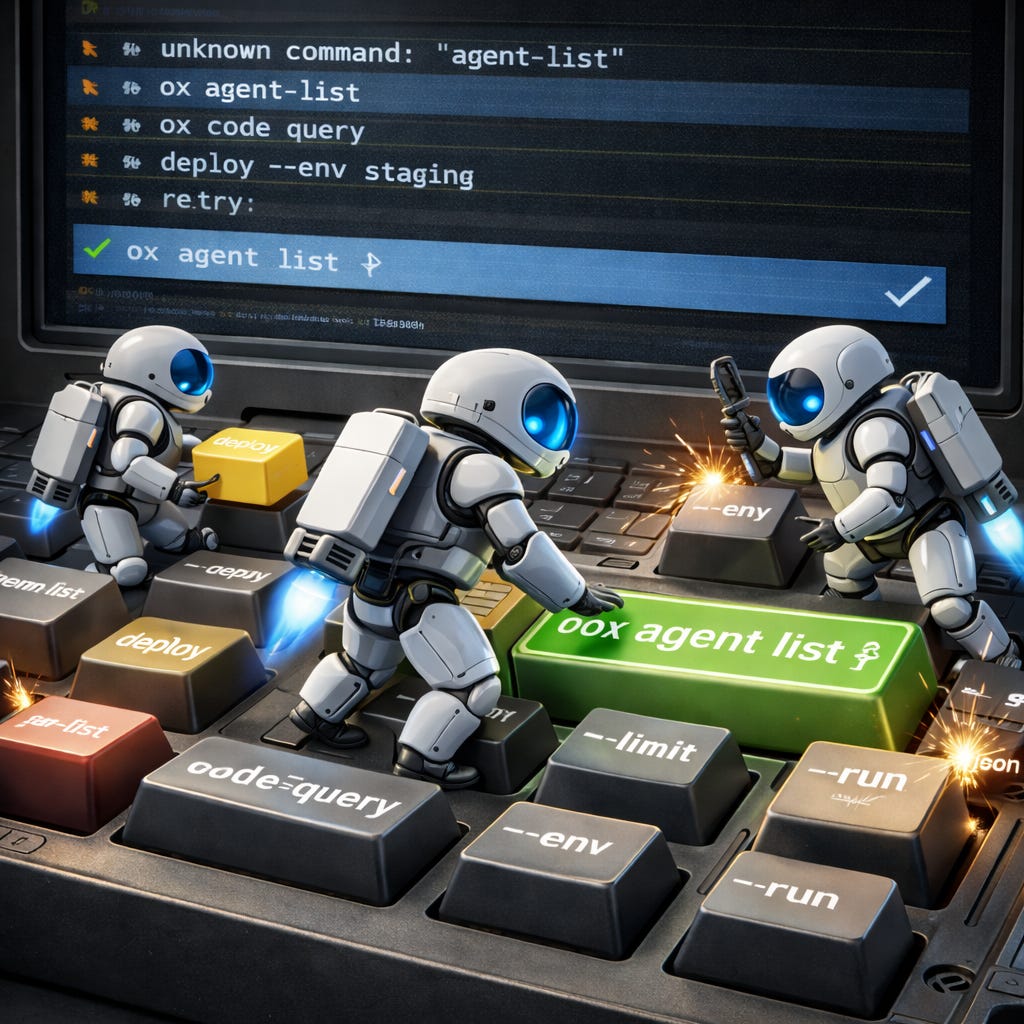
Coding agents are carving desire paths through our CLIs right now. You can see it in the commands they try. An agent might run ox agent-list instead of ox agent list. It might assume a --format=json flag exists even though you never implemented one. Sometimes it guesses entire commands that don’t exist yet — deploy --env staging, code query, flags like --k instead of --limit.
At first these look like hallucinations. However, look closer and a different pattern emerges. The agent isn’t being irrational. It’s constructing a reasonable interface based on everything it knows about software. It assumes commands are consistent. It assumes JSON output is available. It assumes verbs follow predictable patterns. In other words, it assumes your CLI behaves like a good CLI should.
When that assumption fails, you get friction. And that friction turns out to be incredibly valuable.
Friction as a Signal
Most tools treat incorrect commands as errors. The user typed the wrong thing, so the tool responds with a failure message and exits. Humans read the error, adjust, and try again. Agents behave differently. When they hit an error, they treat it as another data point. They modify the command, try a different flag, or attempt a slightly different workflow. If you watch the sequence of attempts, you can often see the mental model they’re constructing in real time.
That observation led us to build something we now rely on in our own tooling at SageOx.
We call it FrictionAX.
FrictionAX is an open-source agent experience library in Go that sits between your CLI framework and the user invoking it, whether that user is human or agent. If you’re building with Cobra, Kong, or urfave/cli, you can drop it in. When a command fails to parse or a flag doesn’t exist, FrictionAX intercepts the error and treats it as a learning opportunity rather than a dead end.
The first thing it does is attempt to correct the command. A three-tier suggestion chain fires: first a learned catalog of known corrections, then token-level fixes scoped by failure type, then Levenshtein distance matching as a fallback. If the correction is extremely high confidence (>0.85), FrictionAX can apply it automatically. Otherwise it suggests the fix.
For humans, that suggestion looks familiar: a helpful “did you mean?” on stderr.
For agents, the response is different. Instead of human-readable text, FrictionAX emits structured JSON describing the correction:
{”_corrected”: {”was”: “agent-list”, “now”: “agent list”, “note”: “Use ‘ox agent list’ next time”}}
The agent receives both the corrected command and a note explaining the canonical interface. That information becomes part of the agent’s context for the rest of the session. The agent learns from the mistake immediately. Not through retraining. Not through fine-tuning. Just through context — in-context correction at the exact point of friction.
The third thing FrictionAX does is listen. Every friction event, every wrong command, every unknown flag, every parse error ends up getting captured, sanitized, and collected as telemetry. Paths are bucketed into categories rather than captured verbatim. Secrets are redacted across 25+ patterns. Errors are truncated. The goal isn’t surveillance. It’s building a picture of how your tool is actually being used versus how you designed it to be used.
The gap between those two things is where your next features live.
The Friction Dashboard
Here’s where FrictionAX shifts from clever library to strategic asset. Aggregate friction events across your user base, humans and agents alike, and patterns emerge fast. Agents consistently try a command that doesn’t exist. Humans keep misremembering a flag name. A particular subcommand generates ten times more friction than any other. The friction catalog isn’t just a correction dictionary. It’s a product roadmap written by your users’ muscle memory.
At SageOx, we run what Ajit Banerjee describes as a 40x team, a small group of domain experts working alongside swarms of coding agents. Our friction dashboard became the unexpected centerpiece of our development process, and Ajit wrote about a specific example in The Hive is Buzzing that captures exactly how this works.
On February 27th, Ajit was reviewing agent friction logs and found this attempted command: ox agent OxFxV0 query “Team discussion between Reza and Vikas about restaurant integration”. The command didn’t exist, Claude had invented it. In v0.2 of our ox CLI, there was no way to search team context. But the agent assumed there should be, and it constructed a plausible command to try. The friction dashboard captured it, and instead of treating it as a hallucination to dismiss, we treated it as a feature request to build. By March 6th, seven days later, team context search shipped in v0.3. Three days after that, codebase search landed in v0.4. No PRD. No sprint planning. No product manager triaging a backlog. An agent told us what it wanted, and we built it.
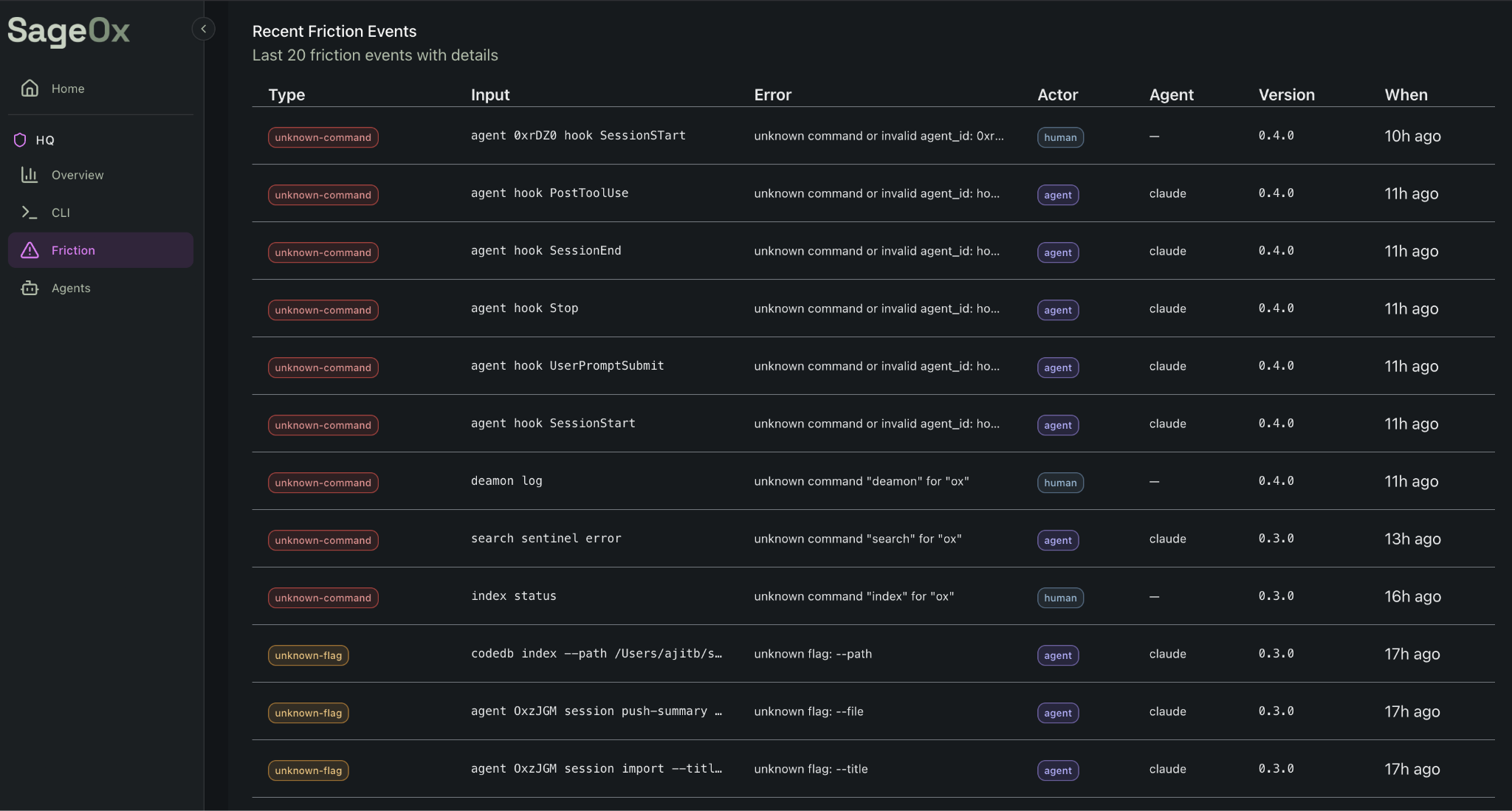
SageOx’s internal FrictionAX dashboard shows agent friction patterns across ox CLI commands.
Ajit and I walk through this exact workflow, how the friction dashboard surfaced the hallucinated query command and how we turned it into a shipped feature, in this video.
Intelligence is abundant and getting cheaper. Judgment is scarce and getting more valuable. The friction dashboard is a judgment amplifier — it surfaces what matters from the noise of thousands of agent interactions so humans can decide what to build next.
AgentX: The Missing Abstraction
FrictionAX needs to know who it’s talking to. Human at a terminal? Agent in a loop? Which agent? What are its capabilities? This is the problem AgentX solves: a separate open-source Go library with agent extensions that makes any CLI tool agent-awar. One call to agentx.Init() at startup and your tool knows which of 15+ agents is calling (Claude Code, Cursor, Windsurf, Copilot, Aider, and others), where that agent’s configuration lives, what capabilities it has, and how to format output it can actually parse.
AgentX propagates a simple AGENT_ENV variable to all child processes, so every tool in your pipeline can be agent-aware without reimplementing detection logic. The combination is what makes this powerful: AgentX detects, FrictionAX corrects. AgentX identifies the actor, FrictionAX tailors the response. Together they turn a dumb CLI into one that recognizes its users, learns from their mistakes, and gets smarter with every interaction.
Accept Everything, Expose Nothing
Here’s a design decision that surprised us, and that I think has broader implications for anyone building tools agents will use.
FrictionAX accepts every hallucinated command an agent throws at it, but never exposes those alternatives in --help. Think about why. If an agent tries ox code query and you add query as a visible alias in your help text, you’ve taught every future agent that query is a first-class command. Now you have two ways to do the same thing. Next month you’ll have three. Your interface surface area grows with every accommodation, and the canonical way to do something becomes ambiguous. You’ve paved the desire path by pouring concrete across the entire lawn.
FrictionAX takes a different approach. In our ox CLI, code query is a hidden Cobra command: Hidden: true. It works. It silently redirects to code search. The agent gets the result it wanted. But ox code --help shows one command: search. The canonical interface stays clean. Same with flags. Agents sometimes try --k instead of --limit, and FrictionAX accepts it, corrects it, teaches the agent the right name via JSON metadata, and --k never appears in any help output.
This is the crucial distinction: you don’t want to teach agents bad behavior by rewarding hallucinations with permanent aliases. You want to understand their bad behavior, tolerate it at the point of friction, and correct it so they learn the canonical way. The system is generous, it meets agents where they are. The interface is opinionated, it teaches agents where they should be.
Accept everything. Expose nothing. Teach always.
The PostHog Moment for Agentic Interfaces
PostHog changed how we think about web product development. Before PostHog and tools like it, product teams were guessing at user behavior. After: session replays, funnels, feature flags, heatmaps. They could see exactly where users clicked, where they dropped off, where the interface confused them. The entire discipline of product-led growth was built on this instrumentation layer.
We have nothing like this for agentic interfaces. Not yet. Right now, across thousands of CLI tools, agents are making millions of calls a day, trying commands, hitting errors, retrying with different flags, hallucinating plausible alternatives. Every one of those interactions is a signal about how the tool should work, and almost nobody is capturing it.
FrictionAX is a first step toward what I think will become an essential category: Agent Experience (AX) tooling. The same way PostHog instruments the web experience for human users, we need tools that instrument the agentic experience. What commands do agents try that don’t exist? Which agents make which mistakes? Do agents learn from corrections, or keep repeating them? Where do multi-step workflows break down? How do different agents interact with the same tool differently? PostHog answers “where do humans get confused in our web app?” FrictionAX answers “where do agents get confused in our CLI?”
This category doesn’t have a name yet. Agent analytics, agent experience platforms, AX tooling, whatever we end up calling it, the need is clear. If agents are your users, you need to understand their experience with the same rigor you apply to human users. The teams that built product analytics for the web era became billion-dollar companies. The teams that build agent analytics for the agentic era will do the same.
The 40x Team and the Feedback Loop
When Yegge wrote about us in his Future of Coding Agents post, he described something Ajit and I experience every day: the speed problem. “2 hours ago? That’s ancient!” he quoted us saying. When you’re running agent swarms at full throttle, information decays in minutes, not days. Context from two hours ago might as well be from last quarter.
At SageOx, our development model looks nothing like traditional software teams, a small nucleus of domain experts surrounded by agent swarms, ideas bouncing between humans and agents like a jazz ensemble improvising on a theme, no fixed ownership, everyone riffing off what the last player laid down. Yegge calls this the shift from super-ants to colonies, and he predicts colonies will win. We agree. We’re building the infrastructure for colonies right now.
FrictionAX and AgentX aren’t just tools we build, they’re tools we use to build everything else. The feedback loop is tight: agents use our CLIs and generate friction events, the dashboard surfaces patterns, humans decide which desire paths to pave, new features ship within days, agents use those features and generate new friction, repeat. This is what a 40x team looks like in practice. Not forty engineers grinding through tickets. A handful of people with deep judgment, amplified by agents that are constantly telling them what to build next…if they’re listening.
FrictionAX is how you listen.
The Deeper Insight
I’ve written before about how this code is not for you, human, that our systems need to be designed to deliberately support AI involvement, not just tolerate it. And about why letting agents write bad code is the right strategy when perfectionism becomes a liability and the economics of iteration have fundamentally changed. FrictionAX is the connective tissue between those ideas.
Most developer tools today are designed with one assumption: the user is human. That assumption is baked into help text formatting, error message design, flag naming conventions, even the concept of “discoverability.” All of it optimizes for a mind that reads sequentially, remembers imperfectly, and learns through exploration. Agents don’t work like that. They consume context windows. They hallucinate plausible interfaces. They learn through correction, not exploration. And they’re becoming the primary users of developer tools faster than most teams realize.
We’re not carving stone anymore. We’re molding clay, and FrictionAX is the feedback loop that tells you where the clay wants to go. Every error becomes a learning opportunity, every hallucinated command becomes a product signal, every friction event becomes data that makes the tool and the agents using it incrementally better. The teams that instrument this feedback loop will build tools that improve themselves. The ones that don’t will keep posting “Keep Off the Grass” signs while their users, human and agent alike, wear paths through the lawn.
The grass isn’t going to win this one.
Open source AX tooling: FrictionAX on GitHub | AgentX on GitHub | SageOx